Pet and portrait patterns
A Kinusaiga portrait of your pet, made from your photo
Upload a photo of your dog, your cat or someone you love. The generator turns it into a numbered Kinusaiga template with a colour overview, ready to print at 100 percent and transfer to the foam board.
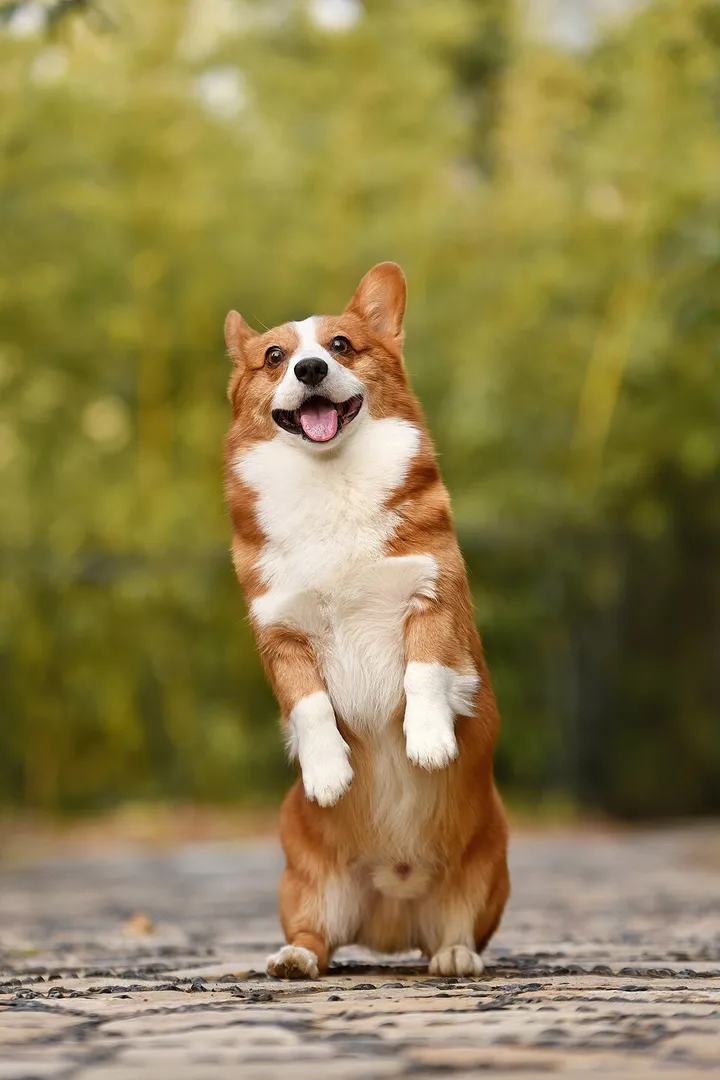
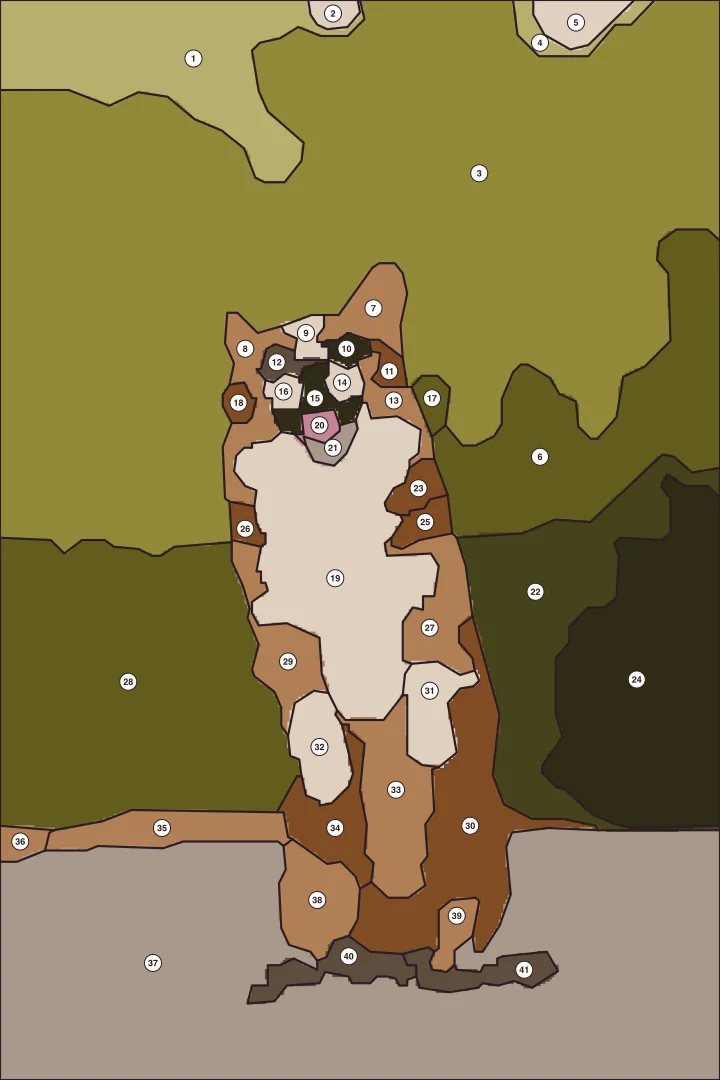
Everything happens in your browser; nothing is uploaded.
Pieces too small for your print size are merged before you download.
Colour overview and template for A4, A5 or A6, with a 10 mm control square.
Choosing the photo
What makes a good pet portrait photo
- The animal fills the frame. The head and chest should take up most of the picture. Crop away the room around it.
- Eyes towards the camera. A portrait lives from the eyes. Take the photo at eye level, not from above.
- Soft daylight from one side. Light and shadow on the fur become separate pieces and give the face its shape. Avoid flash.
- A calm background. A plain wall, grass or a blanket becomes one or two quiet pieces; a busy room turns into many small ones.
- Clear fur colours. Patched and two-coloured animals are easiest. For a black or white pet, light from the side keeps some shape in the fur.
Portraits of people
A loved one in fabric: simple shapes, strong light
In Kinusaiga every area of colour is a piece of fabric pushed into a groove, and each piece needs a minimum size. That is why a face never becomes a photograph in fabric. It becomes a stylised picture of light and shadow, hair and clothing, and that is exactly what makes it look like handmade art.
Choose a head-and-shoulders photo with light from one side and a plain background. Hair, a scarf or a coloured jumper give the picture strong areas. Very small features like lips or glasses often merge with their surroundings; you can add them afterwards with a few stitches or a fabric pen.
A figure seen from behind or in silhouette works especially well, for example a child on a beach or a couple on a walk. Our free woman and sun pattern shows how much a simple figure can say.
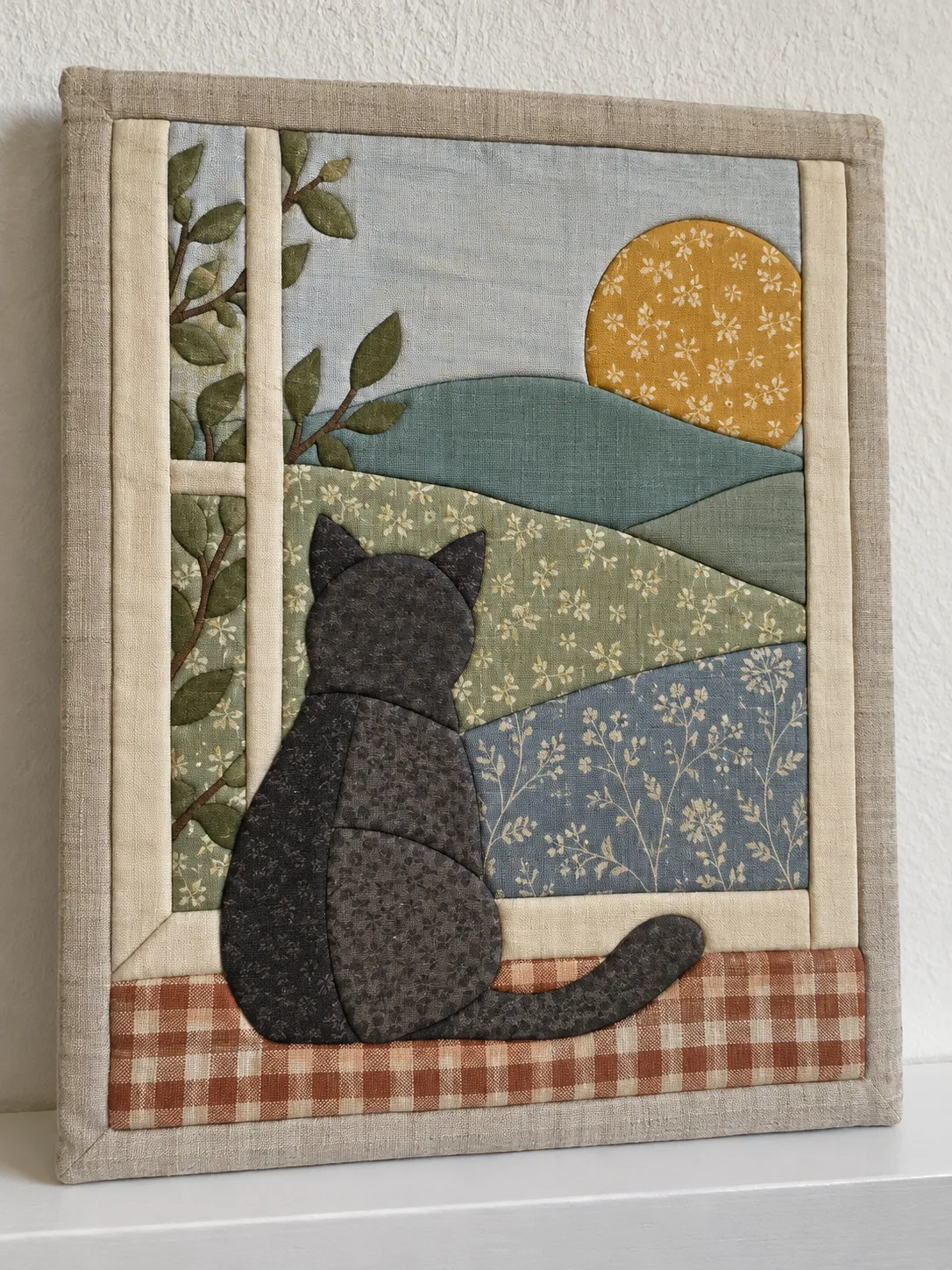
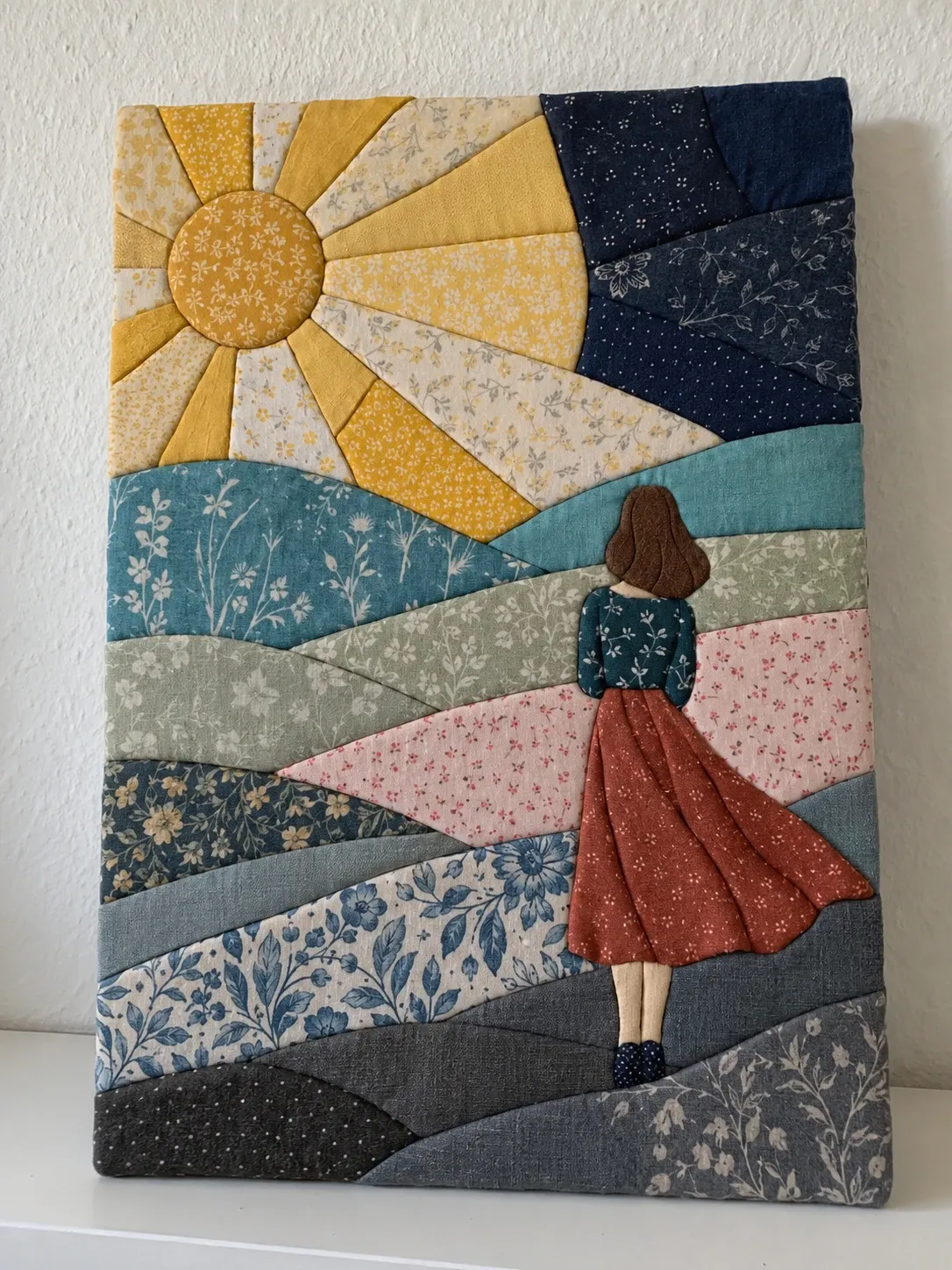
From photo to portrait
How to make your portrait
- Open the generator and upload your photo. If the face is small in the picture, accept the suggested closer crop.
- Choose the paper size. A4 keeps more detail than A5 or A6.
- Check the colour preview. If the eyes merge with the fur, try a larger paper size or a simpler background.
- Download the PDF and print it at 100 percent. Measure the 10 mm control square with a ruler.
- Transfer the lines to the foam board and cut the grooves.
- Choose fabrics close to the colour overview and tuck them in number order: background first, the face and eyes last.
A personal gift
A fabric portrait of a family pet or a memorial picture of a pet that has passed is one of the most personal things you can make. Start with your favourite photo.
Open the generatorQuestions before you begin
Portrait pattern FAQ
Can I make a Kinusaiga portrait of my dog or cat
Yes. Pets are the most rewarding portraits: fur colours form clear areas, and the eyes, nose and ears give enough structure for a recognisable picture. Upload a photo where the animal faces the camera and fills most of the frame.
Does it work for portraits of people
It works, but expect a stylised result. Kinusaiga pieces need a minimum size, so a face becomes a few areas of light and shadow rather than fine features. Strong side light, a plain background and a head-and-shoulders crop help most. Figures seen from behind or in silhouette work especially well.
How many pieces will my portrait have
Usually between 30 and 70, depending on the photo and the detail level. The generator merges pieces that would be too small to tuck at your chosen print size, so every piece can be cut and pushed into the board.
What size should I print a portrait
A4 is a good start. If the eyes or the nose come out too small, choose a bigger paper size or crop the photo closer to the face. Bigger pictures keep more detail.
Is my photo uploaded anywhere
No. The image is processed in your browser and stays on your device.
Can I make an appliqué portrait instead
Yes. Switch the technique to appliqué in the generator. You get the same colours as numbered appliqué pieces in laying order with a mirrored fusible web template.